So you’re looking to pick up a tablet but you’re not sure where to start?
Between the price of modern tablets and the sheer number of options out there, it can be a daunting experience…
Do you really need an octa-core processor? Why is tablet A twice the price of tablet B? How can you be sure the tablet you pick won’t be obsolete in a month?
In this guide, we’re going to look at all of the factors to consider when comparing tablets and choosing the best tablet for your needs. We’ll start off simple and and by the end of the guide, you’ll be an expert ready to hit the order button or walk into your nearest shop with confidence.
Tablet Basics
Before we dive into the specifics about tablet features and considerations, let’s go over a few basics surrounding what tablets are and why you might want one.
What is a Tablet?
Tablets are portable computers that use a touchscreen instead of a mouse and keyboard. The screen often takes up the entire front face of the device. While many have speakers and microphones like a smartphone, tablets are not designed for calling.
Tablets allow you to run apps that perform a range of tasks -- from 3D games to 3D modelling. Most also include cameras -- though quality varies. They’re often meant more for taking notes or video chatting than photography.
High-end models might also offer official keyboard stands, styluses, and other accessories that allow them to function similar to a laptop or drawing tablet as well.
Reasons You Might Buy a Tablet
Major uses for tablets typically fall into one of two categories:
Productivity
Entertainment
On the productivity side, tablets offer an interesting middle ground between smartphones and laptop or desktop computers. You get the simplified touchscreen-based experience of a smartphone but with a larger display. And, with the power of today’s devices and apps, many tablets offer the same robust performance and you’d find on a laptop or PC you’d use at the office.
They’re great for on-the-go business professionals looking for a way to collaborate with others from the road, showcase products or designs for new clients, or even do some serious work. There are apps from major brands for everything from web design and drafting to publication and illustration.
When it comes to entertainment, tablets offer a more immersive experience when compared to their smaller smartphone counterparts.
Larger screens and better speakers make movies, TV shows, and games pop while still remaining super portable.
Most tablet speakers can compete with those found on laptops, but won’t touch the quality of a set of desktop speakers or home entertainment center. But they’re still an improvement over most phones.
If you’re looking for a way to read your favorite blogs, watch your favorite shows, or add a little fun to your frequent travels, tablets are a great option. Their smaller size also makes them ideal for situations where space is at a premium, such as dorm rooms. There are even kids’ tablets that you can pass off to small hands without worrying.
But there are still some trade-offs to keep in mind:
When it comes to raw performance, most tablets simply cannot keep up with high-end laptops or desktops.
Multitasking on tablets is very different from a traditional computer. Even when a tablet supports multiple windows, you’ll find your options limited in most cases.
While app selection is great -- and growing daily -- you might still find a few of your favorite programs from the office or games from your PC or gaming console haven’t made the jump to tablets yet.
You cannot upgrade a tablet. Apart from the occasional software upgrade, adding storage on models with microSD card support, or picking up new accessories to change how you use your tablet, what you see when you open the box is what you get. With the price of some high-end tablets, this is an important consideration to keep in mind as upgrading to a new model for new features could be a pricey affair.
With each new generation of tablets, the gap between tablets and gaming consoles, streaming media devices, and set top boxes continues to shrink. If you’re simply looking to enjoy games and don’t need the portability, you might find those other options a better value.
Still want a tablet? Awesome! Let’s dig into the details you should consider when choosing the ideal tablet for your needs.
Factors to Consider
There's not a single tablet that is perfect for everyone...
From the where you plan to use your tablet to what you’d like to do with it, each aspect will influence which model of tablet will work best for you.
The best way to find the ideal tablet for your needs is to research your options and read reviews about the various models available.
But without knowing what to look for and how tablets might differ from one another, it’s hard to figure out what you might want or need.
Let's look at some of the most important considerations when choosing a tablet.
1. Screen Size and Type
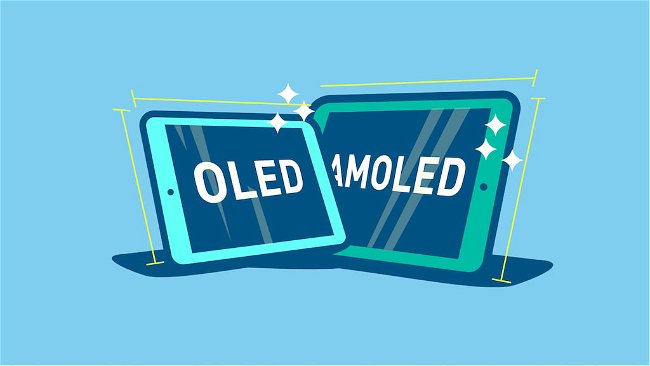
In many ways, choosing the screen size of your tablet is one of the most important parts of the buying process. It typically dictates the price you can expect and defines what you can and cannot do with your tablet.
Offerings range from barely larger than a smartphone to rivaling a small flat-screen television.
Curious about how screen size might impact your tablet experience. Consider the following pros and cons:
Smaller Tablets (6 to 7 inches)
Portability:
If you’re looking for a tablet you can slip in your handbag or drop into your bookbag, smaller tablets are the way to go. Combining a thin profile with a small footprint, these tablets are great for on-the-go use.
Weight:
If you’re looking for a device for bedside use or plan to hold your tablet for long periods of time, weight will have a huge influence on how much you like your tablet. Smaller tablets tend to be lighter and more comfortable to hold for tasks such as reading, watching movies, or enjoying an extended gaming session.
Price:
In most cases, the size of a tablet directly influences its price. If you’re looking for a budget-friendly offering, you’ll want to stick to the smaller end of the size spectrum.
Readability:
Smaller screens mean smaller text and video. If you’re planning to use your tablet frequently for reading or browsing text-heavy websites, you’re looking for a great movie viewing experience, or you’re planning to use the tablet for work -- especially graphics or video -- it might be worth the extra funds to move toward the middle or upper end of the size options.
Larger Tablets (Larger than 7 inches)
Productivity:
With more room to display both content and controls, larger tablets make it even easier to use your tablet to work. Add in split-screen views and other features on premium offerings and you have a real productivity workhorse.
Media Streaming:
If you’re looking for an immersive media experience, larger tablets help to draw you into the action and help to make details in your favorite videos and images pop.
Premium hardware:
Unless you’re sticking to the very bottom of the price brackets, most larger tablets tend to be made from better materials than their smaller counterparts. Even within the same manufacturer, the largest sizes are often equipped to provide the most impressive experience.
Accessories:
In most cases, since larger tablets are often used for productivity and creative works, you’ll find a larger range of functional accessories available. Common options include a keyboard case, a kickstand, or a pressure-sensitive or active stylus.
Cost:
If you’re looking for a good larger tablet, you’re likely stuck toward the higher end of the price spectrum. Many of the lower-priced large tablets available only compound the problems of smaller budget devices and make them glaringly obvious in a larger format.
Weight:
All that extra screen real estate takes up space and requires a larger body to keep it safe. The result is more heft. If you’re planning to hold your device while you use it, be sure to consider this factor before making a purchase -- or better still, consider a tablet with a kickstand, folding case, or even a full-featured 2-in-1.
Battery life:
While many larger tablets include larger batteries to compensate, the increased size often means you still won’t get the overall battery life of a smaller tablet.
As you can see, when it comes to the world of tablets, size matters. If you spend time focusing on just one aspect of this guide when making your purchase, sizing should be it.
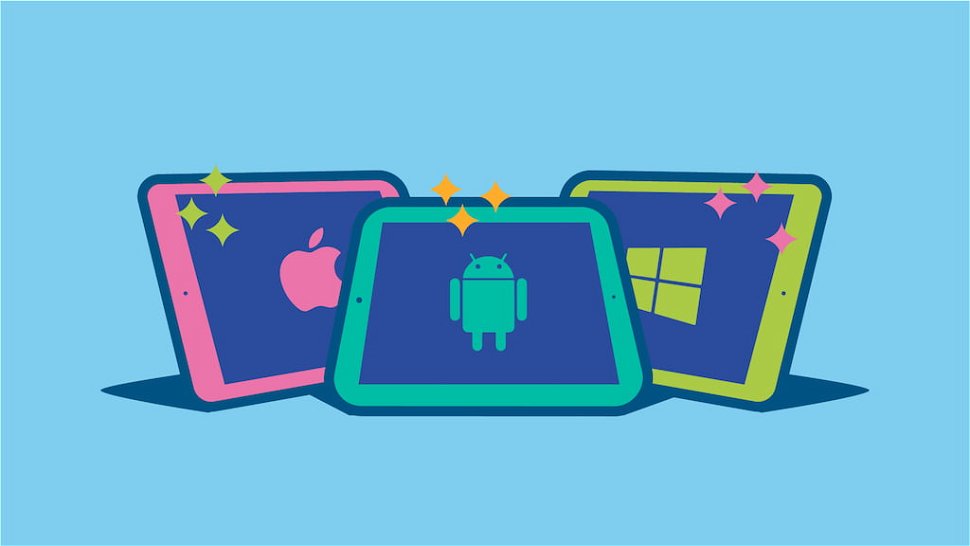
2. Operating System (Android vs iOS vs Windows 10)
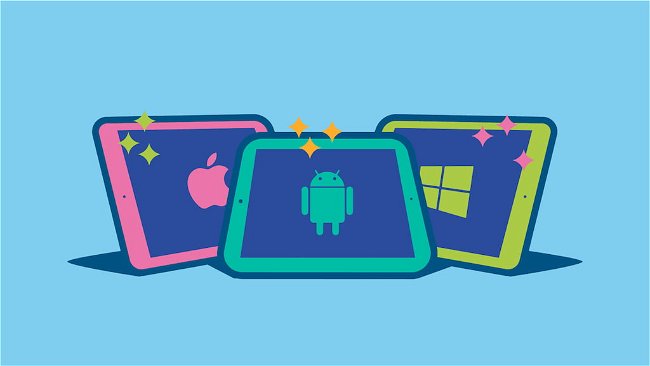
Choosing a tablet that runs the right operating system for your needs is a critical part of finding a good fit. This choice impacts a range of considerations -- including where you’ll be able to find apps for your tablet and what other devices your tablet might be able to interact with.
If you already own a smartphone or another tablet, choosing a tablet with the same operating system will allow you to use many of the same apps you’ve already purchased. While apps are often affordably priced, the costs add up. Matching your tablet’s OS to your phone is a simple way to save money.
Let’s take a look at the four most popular tablet operating systems on the market today.
iOS
The easy-to-use design and endless selection of apps offered by Apple’s iOS has created a loyal following. It also made Apple’s tablets a central part of the rise in popularity of tablets.
Apple designs every device that runs iOS. So you can always count on consistent performance and a premium feel that you won’t always find with other operating systems. However, if you don’t like the design of iOS, Apple’s rules make it hard to customize your experience.
The app store is well monitored to keep out malware and low quality apps as well. You’ll also find a fair number of iOS exclusive apps that are very popular. Many apps will interact with other Apple products you might own, such as a MacBook or Apple TV, for added functionality.
Unfortunately, all of this comes at a price. The iPad series of tablets is one of the higher priced offerings available. However, with the reputation of Apple’s products, you can count on a decent resale price as long as you’ve kept your tablet in good condition.
Related Resource: Compare Apple Tablets
Android
As the other major competitor in the mobile operating system market, Android’s flexible and highly-customizable design offers greater flexibility than competing Apple products. While Google has its Nexus line of devices, most Android tablets are made by other manufacturers.
This means that every Android tablet has the potential for a slightly different interface or design.
Many major brands, including HTC, Samsung, and Motorola, all add their own touches to Android that change the user experience. Fortunately, if you don’t like how your Android tablet looks, changing the appearance is often as simple as installing a free app.
Google Play features a massive collection of apps to suit any need.
While not as strictly monitored as Apple’s store, you can generally count on apps on Google Play to be safe and free from malware. However, you do need to a be a bit more diligent to filter out low-quality apps.
Pricing for Android tablets is the most varied of the this list. From the super-affordable to the top-of-the-line, you’ll probably find a tablet to fit your budget. Unfortunately, unless you stick to major manufacturers, quality can fluctuate just as much.
Related Resource: Compare Android Tablets
FireOS
We wanted to include this separately as Amazon’s wildly popular Kindle Fire tablets run a specialized version of Android that works much differently than others. From the interface to the app store used, Amazon has optimized everything to create a very user-friendly and Amazon-centric experience. They call their special version of Android “FireOS”.
App selection is lower than a stock Android tablet, but still covers most of the essentials. However, if you’re a user of Google’s apps on your smartphone, you won’t find them on a Kindle Fire.
FireOS is also not nearly as customizable as stock Android.
One of the interesting aspects of FireOS is the access to a wide selection of free apps that are paid apps in other stores. This makes these tablets great for kids as you can load up on games without spending a fortune.
While it’s possible to install the Google Play Store on many Kindle Fire tablets, this may void your warranty depending on how you do it. Step to do this change often. Even then, it’s a fairly technical process, so we won’t cover that in this guide.
Related Resource: Compare Amazon Tablets
Windows 10
Microsoft’s Windows 10 is common on desktop and laptop computers but it is still finding its footing in the mobile market. This shows in Microsoft’s app selection which lags far behind the options on iOS or Android.
Fortunately, most of the major apps are covered.
If you’re looking for a productivity tablet and use Microsoft’s Office suite, the integration for Windows 10 offers features you won’t find anywhere else. Particularly on the 2-in-1 side of the market where Windows 10 currently offers some of the most powerful tablet options around.
One of the biggest differences between Windows 10 and the other operating systems is its interface. The version on tablets and 2-in-1’s is either a scaled-back version of the desktop version or exactly the same depending on the model.
This means there are the traditional windows and interface elements you’d expect on a computer, but on a tablet.
In terms of pricing, Windows 10 devices tend to be pricier than Android options. Some of them even rival and exceed the price of iOS devices -- but most of these are 2-in-1 options that compete more with a laptop than the iPad.
Related Resource: Compare Windows Tablets
3. Connectivity Options
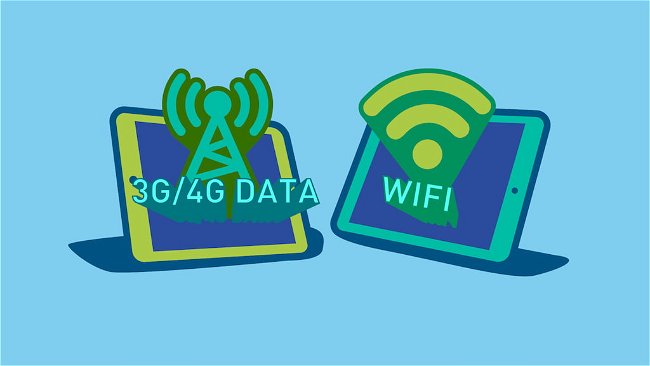
Virtually every tablet supports Wi-Fi to allow you to browse the web, download apps, or stream media anywhere you have a Wi-Fi signal.
But if you plan to use your tablet in places where Wi-Fi isn’t readily available, considering a model with 3G/4G connectivity provides added flexibility. Much like with your phone, tablets with this feature can connect to mobile carrier networks and allow you to use your tablet while away from Wi-Fi.
What’s Good About 3G/4G Tablets?
- You can get online anywhere with network coverage without the need for Wi-Fi
- Most 3G/4G tablets tend to feature high-quality designs and components
What’s Bad About 3G/4G Tablets?
- Unless you buy an unlocked tablet, you can only connect to a specific carrier’s network
- 3G/4G access raises the cost of ownership significantly by requiring monthly contracts or data plan top ups
- 3G/4G usage can greatly decrease battery life
- High-resolution tablets can use data shockingly fast
Ultimately, the choice to opt for a 3G/4G-enabled tablet is largely personal and based on your typical usage needs.
However, if you plan to take your tablet on the road, there’s a good chance you’ll find use in mobile data.
4. Screen Resolution
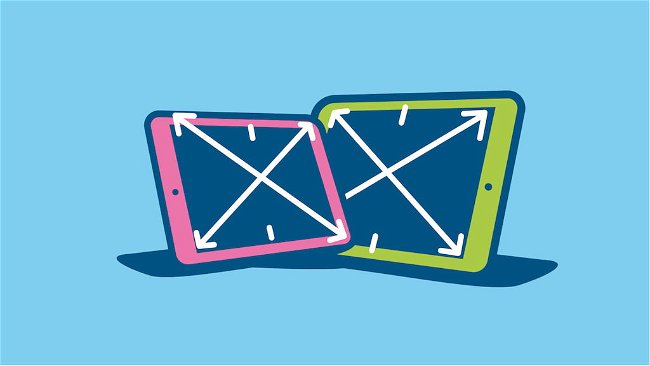
What does screen resolution mean? To answer that we’ll need to get a little geeky for a second.
Digital images and video are made up of tiny dots of color. These dots are called pixels.
A tablet’s resolution is a measure of the number of pixels it has on it’s screen. For example, 1920-by-1080 means there are 1920 pixels on the long side and 1080 pixels on the short side. This is the common resolution for “Full HD”.
As tablets get larger, resolution becomes more important because the potential for pixels to become large enough that you can actually notice them increases with size.
The more pixels on the screen, the less chance of you being able to pick one out from the crowd.
This is referred to as pixel density.
In many ways, pixel density is a better indicator of what you can expect when it comes to text clarity and detail in images and video.
You’ll often find it listed in specifications sheets with the label “ppi” or “pixels-per-inch.”
When it comes to pixel density, more is almost always better. But before you make any decisions, consider these pros and cons:
High Pixel Density
More pixels means clearer text and cleaner lines
More pixels also allows for increased detail in images and videos
Typically included in high quality displays
As pixel density increases, so does price
More pixels means more changes to the display, so you’re likely to notice it on your battery life
More pixels also means your tablet’s processor must work harder to keep up. This can make all the difference in mid-tier tablets.
Low Pixel Density
Low pixel density displays are often more affordable
Slower processors have less trouble running games and apps smoothly on low pixel density displays
Text on low pixel density displays is often hazy or has jagged edges. If you’re planning to read often using your tablet or browse the web, this can lead to eyestrain and headaches
Images on low pixel displays lack details and clarity
Video is often even worse as we’ve become accustomed to high-definition video and displays. If you’re looking for a tablet for watching your favorite movies and television shows, consider looking for a high pixel density display
Where Do Retina Displays Fit In?
Retina Display is a term developed by Apple to describe the high density displays in their newer devices.
Featuring resolutions well beyond what you’ll find on most Android or Windows 10 tablets, these screens often lead the pack when it comes to clarity and color reproduction. Unfortunately, retina displays are only available in high-end (i.e. expensive) tablets.
If you’re not already invested in Android or Windows 10 apps and looking for the ultimate media watching experience, Retina rules the display world by a substantial margin.
What About 4K Tablets?
4K, or "Ultra HD", is the latest step in video and image quality.
While 4K tablets rival and even surpass the resolutions and pixel densities of Retina displays, this is still a very new market for tablets.
The biggest challenges facing 4K tablets will be cost.
And, even after forking out a hefty sum for a new 4K tablet, you’ll likely notice that battery life and performance suffer for the sake of the display.
At the end of the day, 4K tablets are definitely a luxury item at this point.
As tablets continue to grow in size and 4K technology matures, this might change.
For now, it is mostly a marketing gimmick.
5. Performance
On one hand, if you buy a tablet and it doesn’t perform how you expect, it will be frustrating to use.
On the other, if you buy the latest and greatest option and don’t use all of its features or potential, you’re probably spending more than you need to.
So finding a good balance of price and performance will help you to find the best value.
To do this, you’ll want to look at two different factors:
Processors
Random Access Memory (or RAM)
Each factor impacts performance a little differently. Let’s take a look at what to consider when it comes to these two key pieces of hardware.
Processors
The list of individual processors out there is mind-boggling. There are options from Apple, Nvidia, Samsung, Huawei, Qualcomm, Intel, and more.
So with all the options available, how do you know what you look for?
In most cases, you’ll want to look at the number of cores and the speed of the processor.
Multiple cores means more processing power. This is especially important if you plan to play the latest games or get work done with your tablet.
When it comes to speed -- often measured in gigahertz (GHz) -- bigger numbers are better.
The relationship between cores and speed isn’t something that is exact. A single core 1GHz processor doesn’t necessarily run at half the speed of a dual core 1GHz processor.
In most cases, you’ll find that processors with a higher series number will outperform the processors below it in the same series.
For example, a Snapdragon 845 processor will offer better performance than a Snapdragon 835. The Apple A12 processor is faster than the Apple A11.
In general, unless you’re only planning to use your tablet for streaming music from a service like Spotify or video from a platform like YouTube or Netflix, you’ll want at least a quad-core processor.
If you’re planning to use your tablet for productivity or creative works, the processors from Apple and Microsoft tend to offer better performance than others for more involved tasks.
Random Access Memory (Also known as RAM)
Outside of processor choice, RAM is the second most likely factor to impact performance on your tablet.
While we won’t get too specific, a good way to think of RAM is comparing it to your short term memory...
It’s much faster than the internal storage on your tablet, so the RAM is the place your phone can store recently accessed apps or things it thinks you might use in the near future and get back to them quickly.
The more RAM you have, the faster your tablet can keep track of multiple tasks, switch between apps, or load complex apps.
While you might find the occasional device with only 512 megabytes (MB) of RAM these days, most tablets start at 1 gigabyte (GB) or 1024MB.
While this is enough to perform common tasks and keep the tablet running, it will create delays when multitasking and cause issues with larger apps.
It’s also not enough RAM to keep most apps in standby. So, each time that you switch apps the app will have to reload completely.
If you’re planning to do anything other than check the occasional email or stream video or music, starting at 2GB is wise.
Planning to use your tablet as a productivity tool or play the latest games? A model with 4GB or more will show obvious improvements.
6. Internal & External Storage
The internal storage on your tablet is where you’ll keep your apps, games, movies, pictures, and other files you want to access.
Think of it much like your computer or laptop’s hard drive...
The more storage you have, the more apps you can install or the more files you can keep available without having to worry.
However, it’s important to remember that regardless of the tablet you buy, you won’t actually have the exact amount of space available that is listed on the box.
This is because the tablet must store important files, such as the operating system, somewhere.
In some cases, this can reduce your available storage by a few gigabytes.
Plan accordingly and always choose an option with a little more storage space than you need.
Some tablets also support external storage -- either through inserting a microSD card or through connecting an external hard drive using a special cable or adapter.
However, there are some important limitations to this storage you must consider.
In the case of microSD cards, some tablets will not allow you to use them to install apps. This means that while you might have room for more videos, images, or podcasts, you’re not exactly free to use the space as you please.
Many tablets also have a limit regarding microSD capacity. So be sure to check specifications on the tablet to be sure it will work with the card you’d like to use.
External hard drives are another option but come with similar limitations. But you must also now carry around any adapters needed to connect the drive to your tablet. If the hard drive requires power, that will be another adapter.
While using an external hard drive with your tablet might sound nice, it often impacts portability and is really best used when you need to store large numbers of files -- such as if you’re editing photos or video or want to keep a collection of movies or music on hand.
Unsure how much space you need? This list of file sizes should help.
- 1 picture - 2MB to 10MB
- 1 basic app - 4MB to 50MB
- 1 basic game - 15MB to 75MB
- 1 High Definition game - 150MB to 2GB
- 1 MP3 album - 75MB to 125MB
- 1 Standard Definition TV show episode - 200MB to 300MB
- 1 High Definition TV show episode - 800MB to 1.2GB
- 1 Standard Definition movie - 500 to 700MB
- 1 High Definition movie - 2GB to 6GB
If you’re planning to do anything other than stream media to your tablet, at least 16GB is highly recommended. Better yet, 64GB tablets are increasingly affordable and offer much more flexibility in what you can install or store on them.
7. Battery Life

If you look at the specifications list for any tablet, you’ll see a capacity rating measured in mAh. While this offers a way to compare battery capacities between tablets, it doesn’t necessarily offer any real value in comparing battery life.
This is because battery life is a complex thing. Virtually every aspect of how you set up your tablet will change battery life in some way.
Primary factors include the screen brightness, how often the screen is on, the resolution of the screen, and the type of processor in the tablet. Using Bluetooth accessories, GPS tracking, or 3G/4G data can change it yet again.
You might find an estimate in the product description stating estimated battery life. In most cases, you’ll find real world battery life to be slightly under many of these predictions.
By far the best way to compare battery life between tablets is to consult the various reviews on the Internet. To help make this process simpler, you’ll find most major tablets are covered in our tablet review summaries. Instead of sorting through pages of reviews, you can find out what people are saying and get a quick overview of what to expect.
As a general rule, pricier tablets -- especially those aimed at productivity and creativity -- tend to offer longer battery life than entry level models.
8. Durability

There’s only so many ways to make a large, thin slab of screen stuffed full of electronics sturdy.
In most cases, you’ll need to resort to accessories -- such as padded cases and tempered glass screen protectors -- to keep your tablet in good shape.
However, you can also consider how materials and build quality might impact durability.
For example, while glass backs might look nice, they’re prone to cracking. An aluminum or high quality polycarbonate chassis will withstand a few more dings than a cheaper one made of thinner materials.
Also, while nothing will save a tablet from blatant abuse, smaller tablets tend to generate less force when dropped. So they can be better suited for use in active environments or when little kids are involved.
Of course, it doesn’t hurt that smaller tablets are cheaper than larger ones too. So if you had to replace a broken tablet, it won’t be as expensive.
9. Accessories
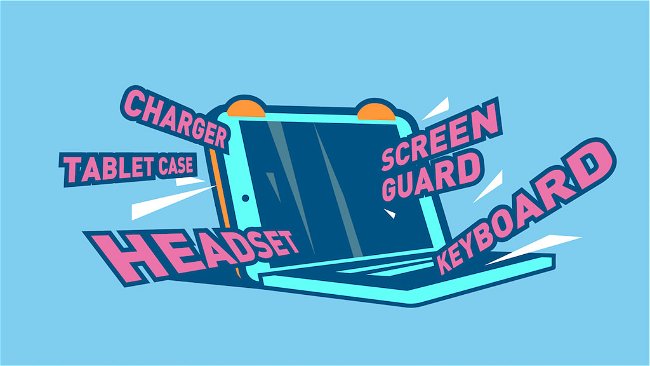
As a simple way to extend the functionality of your tablet or provide extra protection, accessories for tablets are a booming market.
However, while many accessories -- such as generic stands, bluetooth keyboards, and bluetooth speakers -- will work with any tablet, many are also designed to work with specific devices.
Examples of this include the Apple Pen -- a specialized stylus specifically designed for select iPad models -- and the Surface Dial -- a button-like input designed for use with the Microsoft Surface series of 2-in-1s.
Checking the accessories available for the tablet you’re considering is a simple way to ensure that it will work well for your immediate needs and provide insight into potential future upgrades in how you use your tablet.
10. Audio
Audio quality is one of the few areas where tablets could still stand to make major improvements. While you’ll find tablets that can get loud and even fill a room with sound, no one has figured out the secret to actually making it sound full and balanced.
You’ll probably want to turn to a good pair of headphones or a Bluetooth speaker for improving sound quality. That said, there are a few features to keep in mind to maximize the potential of your tablet’s speakers.
Front-facing vs Rear-Facing Speakers: While part of it is personal preference, in most cases, front-facing speakers will provide clearer, louder audio. This is especially true if you like to place your tablet on the table or bed while watching movies or listening to music.
Stereo vs Mono Sound: Two speakers are almost always better than one. However, in the case of tablets, this difference is often negligible at best. With the smaller size of many tablets, there isn’t enough spread between the speakers to create channel separation or a wide soundstage using stereo speakers. If you listen to podcasts or other vocal heavy media, you might notice an improvement in clarity.
Audio Processing (Dolby, Beats Audio, etc): These options are a bit of a grey area. Some audio processing makes a world of difference while others are barely noticeable. It will also depend on whether you’re listening through headphones or the tablet’s speakers. For example, Dolby Atmos does a great job for speakers but often doesn’t support headphones while DTS:X makes a huge difference on headphones but doesn’t impact speakers.
The sound from even the best tablets often compare more what you’d get from a laptop or an entry-level Bluetooth speaker than your home theatre system or stereo. But a tablet with decent speakers can still work well for personal listening even in noisy environments.
11. Camera
We list cameras last because they are still a bit of a weak point on almost every tablet on the market.
This is mainly due to the shape and size of a tablet...
Holding up something the size of a sheet of paper to take a picture isn’t exactly easy.
It seems tablet manufacturer’s understand this and don’t try to push the envelope when it comes to camera specs.
If you’re looking to replace your point-and-shoot -- or even your smartphone’s camera -- you might want to try taking some pictures on a tablet in a store first to see how they come out. Even the best tablet cameras often produce photos that are fairly lackluster.
That’s not to say that tablet cameras are completely useless.
The front facing cameras are perfect for video chat or interactive apps. The rear facing cameras are good for quick snapshots or scanning in documents.
In most cases, to prevent issues with graininess or blurriness, you’ll want a rear camera of at least 5 megapixels (MP). Higher numbers will turn out better results. But again, these only get so good.
For front-facing cameras, consider a tablet with a wide-angle lens.
By increasing the area the lens captures, these are great for video chatting when there is more than one person in the shot, such as letting the kids talk to their grandparents. Since the wide angle lens captures a wider area, there’s more room for people to fit into the frame.
Common Questions
This largely depends on what you’re looking for in a tablet.
If you’re simply looking for a tablet to watch movies or listen to music and don’t plan to play graphics-intensive games, the Amazon Fire tablet series is a popular option.
For design, video editing, and other complex productivity and creative tasks, the iPad Pro and Microsoft Surface Pro are excellent options.
For a good all-around option that can play games as well as get things done on the go, the iPad and iPad Mini 4 offer respectable performance and 3G/4G support to keep you connected anywhere you might go.
Related Resources: Tablet Reviews & Recommendations
While similar in their basic design, tablets and e-readers are very different devices.
Designed specifically for reading e-books, e-Readers have monochrome screens and do not support the apps used on tablets.
They cannot play video and many do not support audio either.
If you’re not sure if you need a tablet or an e-reader, consult our guide on choosing between a Kindle e-reader and Kindle Fire. While the information is aimed at Amazon’s options specifically, most of the considerations there apply to choosing between a tablet and e-reader in general as well.
The easiest option for loading apps on your tablet is to use the store supported by the operating system.
Options include:
- Android:Google Play Store
- Apple:iTunes App Store
- Amazon FireOS:Amazon App Store
- Windows 10:Microsoft Store
There are other options as well depending on the exact tablet you are considering.
Android and Amazon FireOS tablets in particular allow you to “sideload” apps in some cases. This means you can transfer apps to the tablet using a USB cable or microSD card.
However, in most cases, this means you need to obtain them from a source outside the official app stores. As this is risky and it’s impossible to vet the quality of any of these sources, we won’t dive into details further.
Most tablets support a bluetooth keyboard to make entering text easier.
However, unless these are integrated into cases, they’re not exactly made to work together or provide a slim, easy-to-carry package.
2-in-1’s combine a traditional tablet with customized accessories that allow you to convert the tablet into something resembling a laptop computer.
Common options include a keyboard case that is slim and designed to fit the tablet perfectly, mice, active or passive stylus models, and stands to help keep the tablet propped up while working.
In many cases, 2-in-1’s also run Windows, allowing you to install your favorite work apps or games. Though this is becoming less important as more PC and Mac apps are seeing mobile app releases with similar -- if not identical -- features.
However, pricing is one of the biggest differences between tablets and 2-in-1’s -- particularly at the higher end of the price ranges.
Whether a 2-in-1 is worth the price is largely a matter of intended use.
In many cases, a 2-in-1 will work better for work-related tasks -- such as word processing, video editing, bulk emailing, and graphics work -- than a tablet.
However, the added flexibility comes with a price -- they are more expensive and bulkier than tablets.
For casual use, such as basic games, the occasional email, monitoring social media, or browsing the web, a tablet is an easy replacement for a laptop.
However, if you use your laptop for work or like to play complex 3D games, you’ll need a powerful tablet or 2-in-1 to keep up.
While many companies like to position their tablets as perfect replacements for a laptop, the truth is that they work very differently.
We recommend finding a friend with a tablet or a store with demo models available to check out how they work and if a tablet will fit your intended usage to be sure they are a good fit before committing.
Gaming tablets are designed to play the latest games at the highest possible graphics settings and still provide smooth gameplay and snappy load times.
In some cases, they also include larger batteries or high-resolution displays to let you play longer and see more detail in your games.
However, in most cases, a gaming tablet is simply a high-end tablet with marketing aimed at gamers.
They won’t provide extra features or an experience you’d get on another non-gaming tablet of similar specifications.
Virtually all tablets support bluetooth keyboards. Some will even allow you to plug in a USB keyboard using as special adapter.
However, mouse support is less common.
While most Windows tablets support Bluetooth mice, support is hit or miss on Android tablets. And, surprisingly, Apple’s tablets do not support a mouse at all.
Most tablets offer options for duplicating what you see on your tablet on another screen.
For Apple tablets, AirPlay is a simple way to beam virtually anything on your tablet to a range of devices, including streaming boxes, computers, and TVs.
Most Android tablets support MiraCast or the Google Chromecast for streaming video to another device.
Many Windows tablets allow for Wireless Display (Wi-Di) connections.
If you’re looking to physically connect your tablet to another screen, options are equally varied. However, most will allow you to use specialized cables to connect to either a USB or HDMI port on a monitor or television and clone your screen.
Using a stylus has multiple advantages, including:
- Reduced screen smudges and fingerprints
- Better precision
- Clearer handwriting
- A more organic drawing experience
But for most users, a stylus is not a must-have -- particularly those entry-level stylus options you see with the squishy foam tips.
However, there are a number of precision and pressure-sensitive stylus options available that are awesome for graphic designers, artists, or anyone looking for extra control in interacting with a tablet.
Of course, your tablet must support these features. And, for the most part, support is limited to the high-end Apple and Microsoft options.
So if you’re buying a tablet specifically to use a stylus, keep in mind that the final price is likely to be toward the higher end of the price scale.
Yes and no.
While just about any VoIP app -- such as Skype or Google Hangouts -- that works on a phone or computer will work on a tablet, tablet’s don’t offer a dedicated mobile line like a cellphone.
No.
There are two main situations in which an app you typically use won’t work on your tablet.
The first is if you use a different operating system on your tablet than you do on your phone.
Fortunately, many apps offer Android, iOS, and Windows versions these days. So you might just need to head to the app store on your tablet and download the tablet version.
There are however some mobile apps that are not compatible with tablets.
In this case, unless the developers update the app, you won’t be able to use it on your tablet.
However, even if an app made for phones works for your tablet, it might not be optimized for larger displays.
If you’re planning to use a specific app often, check reviews of the app for tablet compatibility before committing.
In most cases, buying a tablet at full price will be your best value in the long run.
However, if you cannot afford to pay for the tablet upfront, a deal from your carrier provides extra flexibility in paying off the tablet over time.
However, many carriers require you to add mobile data service to your tablet before they offer subsidies or financing.
This could add significant costs if you were not planning on using mobile data.
Also be sure to check any contract commitments before purchasing.
Should the tablet stop working or break due to an accident, you might still be on the hook for both the remaining balance for the device financing or subsidy and the remaining months of your contract.
While you can draw on most tablets, a dedicated “drawing tablet” or “art tablet” is a very different piece of technology from the tablets we’ve discussed in this buyer’s guide.
Drawing tablets are used as inputs for computers or laptops. Often used by visual artists, these allow you to use a stylus with your computer and simulate the feel and function of drawing on paper instead of using a mouse or touchpad.
Some are like giant touchpads with a smooth surface while others include a display within the tablet itself.
However, even those with integrated displays are nothing like the tablets we’re discussing in this guide. These integrated displays are more like monitors. They simply duplicate the display of the computer or laptop you are using. They cannot run independently or run their own apps.
Conclusion
Choosing the best tablet is all about knowing what you want to do with it.
Features to consider include:
What tablet size best suits your needs
Which mobile operating system works best for you
Whether you need mobile data
How much storage you need
What level of performance you’re looking for
What accessories might help you make the most of your tablet
How you plan to buy your tablet
By knowing what features you need -- and what you don’t need -- you can find a tablet that is the perfect mix of utility and value.
We hope this guide helps to clear up any questions you might have about choosing a tablet.
If it has helped you -- or if you know someone who might need a little help with this -- please share this guide with others.
Your Turn
Now that you know exactly what you need in a tablet, it’s time to find the perfect model for you.
Our tablet comparison tool makes it simple to search by brand, price, size, features, and more to start limiting your options. You can even compare models side-by-side to see how multiple models stack up.
You can also check out our tablet reviews. These handy reviews break down what experts around the Internet are saying about the latest releases in an easy to understand format that will get you up to speed in just a couple minutes. All without having to juggle a bunch of tabs or spend hours researching.
[1] CNet : How to Buy a Tablet
[2] Consumer Reports : Tablet Buying Guide
[3] Laptop Magazine : Tablet Buying Guide: 8 Essential Tips
[4] Trusted Reviews : Tablet Buyer’s Guide: All You Need to Know
[5] Best Buy : Tablet Buying Guide
[6] Lifewire : Things to Consider before Buying a Tablet
[7] Digital Trends : Tablet Buying Guide: Everything to Know Before You Buy a Tablet
[8] John Lewis : Buying Guides: Tablets & E-Readers